How to change your money
Switching it on does not give you money by itself: you type in the amount you want. Your balance sits at the bottom left, under Account. With Sandbox Mode on, clicking the figure turns it into a text box: type the amount as bare digits, without commas, and confirm with Enter. Aim for the figure itself, since a click anywhere else on that panel, dollar sign included, brings up the company window instead.
How to change the date
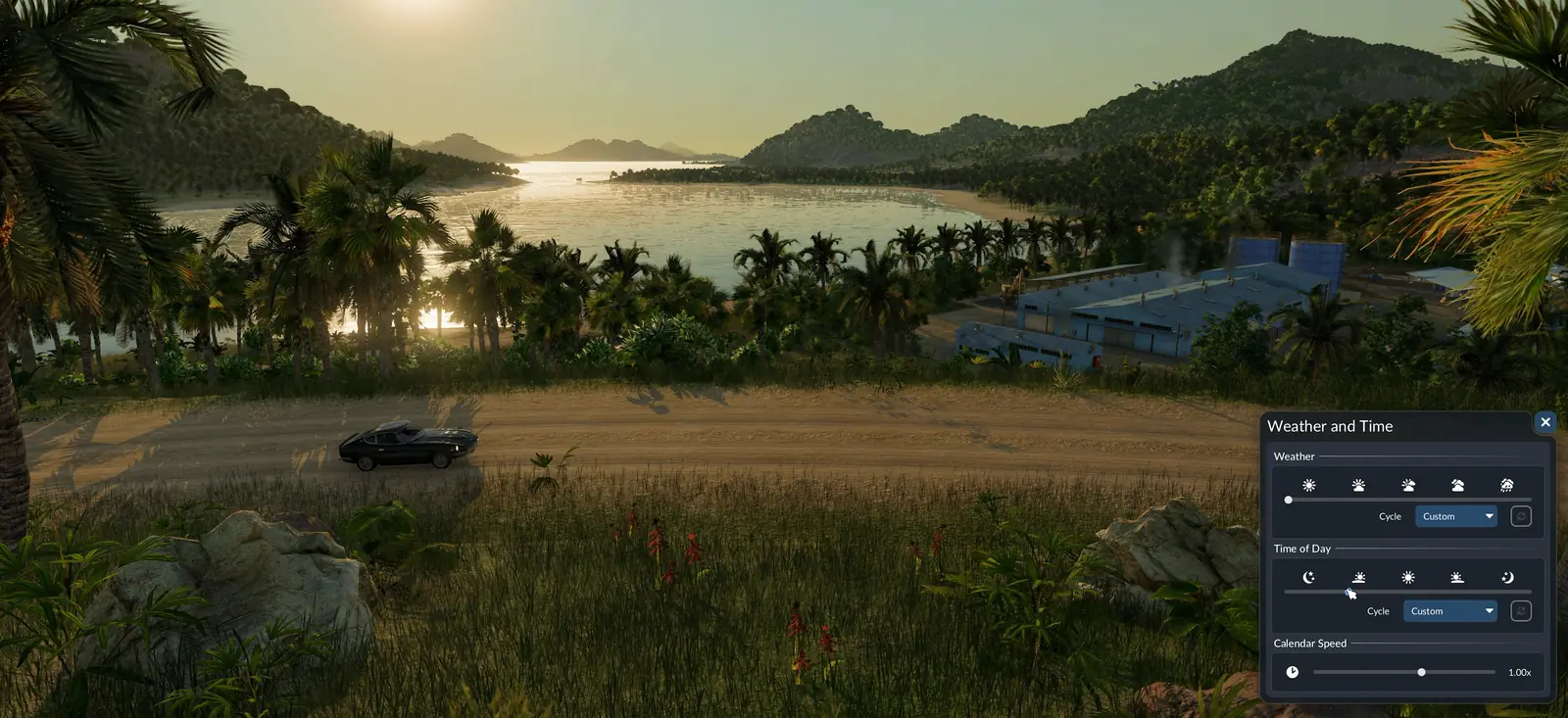
Weather and Time is the window with the calendar; the date shown in the lower right corner opens it. Sandbox Mode adds a Current Date section there: set day, month and year anywhere between 1900 and 5000, earlier or later than now. Skipping ahead unlocks in one go whatever vehicles and buildings arrived during the missing years. Which vehicles arrive in which year is in the vehicle unlock dates.
Placing towns and industries
Two buttons appear at the right end of the build bar: Town places a new town with a size you choose, and Industry places any industry. Each town window also gets an Editor tab, where you set its cargo demands and how big its districts may grow.
Which cargo each industry needs and makes is in the production chain planner, and what towns ask for is in the town growth guide.
Sandbox Mode, No Costs or Tycoon?
Four mods come with the game, and you can switch on any mix of them:
- Vehicles: No End Year: No vehicle goes off sale; once a model arrives it stays in the store.
- Sandbox Mode: Prices stay, but you set the balance, the date, the towns and the industries yourself.
- No Costs: Money leaves the game: nothing has a price and the account shows infinity.
- Tycoon: You begin at the highest company rank with all perks open; the rest of the game is unchanged.
Prices do not go away with Sandbox Mode. Roads, tracks, stations and vehicles still cost what they always cost; the difference is that you can top up the balance whenever you like. To build without any money at all, switch on No Costs as well. The mods can run together.
With any of the four switched on, the game hands out no achievements, since none of them is purely cosmetic. Your company rank still counts up as usual. The Tycoon mod is the one that puts you at the top rank with every perk. The console line that adds money without a mod is in the cheats, mods and achievements guide.
Sandbox Mode not working?
- You cannot find Sandbox Mode. It is not a difficulty or a menu entry. It is a card on the Mods page of a new free game, under Add Mods.
- Tycoon is still on. Tycoon is a mod of its own. Open the Mods page and click Activated on its card to switch it off; Sandbox Mode works without it.
- Building still costs money. That is how Sandbox Mode works. Add the No Costs mod, or type a bigger balance under Account.
- A save will not load. If its Load Game button stays grey, the save most likely needs a mod you do not have.
Every other setting for a new map is in the new game settings guide.
Frequently asked questions
Does Transport Fever 3 have a sandbox mode?
Yes, as a built-in mod called Sandbox Mode rather than a separate game mode. Prices stay, but you set the balance, the date, the towns and the industries yourself.
How do I turn on Sandbox Mode?
For a new game: Go through the settings to the Mods page and open Add Mods. On the Sandbox Mode card, press Activate. The tab title now counts one active mod. For a saved game, use the gear on its Load Game card and activate it under Add Mods.
Can I add Sandbox Mode to an existing save?
Yes. Go to Load Game; it is in both the main menu and the pause menu. Click the gear on the card of the save. Open Add Mods and press Activate on Sandbox Mode. Start the save with the Load Game button on that details page; the usual button on the save card would open it without the new mod.
How do I get money in Sandbox Mode?
Switching it on does not give you money by itself: you type in the amount you want. Your balance sits at the bottom left, under Account. With Sandbox Mode on, clicking the figure turns it into a text box: type the amount as bare digits, without commas, and confirm with Enter. Aim for the figure itself, since a click anywhere else on that panel, dollar sign included, brings up the company window instead.
Does Sandbox Mode make building free?
Prices do not go away with Sandbox Mode. Roads, tracks, stations and vehicles still cost what they always cost; the difference is that you can top up the balance whenever you like. To build without any money at all, switch on No Costs as well. The mods can run together.
Can I get achievements in Sandbox Mode?
No. With any of the four switched on, the game hands out no achievements, since none of them is purely cosmetic.
How do I change the year in Sandbox Mode?
Weather and Time is the window with the calendar; the date shown in the lower right corner opens it. Sandbox Mode adds a Current Date section there: set day, month and year anywhere between 1900 and 5000, earlier or later than now. Skipping ahead unlocks in one go whatever vehicles and buildings arrived during the missing years.
Does Sandbox Mode change my company rank?
Your company rank still counts up as usual. The Tycoon mod is the one that puts you at the top rank with every perk.
Sources
- Official manual: Free Game (the Mods step, the four built-in mods and changing the mods of a save)
- Official manual: Achievements (when achievements are unavailable)
Last checked on November 10, 2026.