Where the money comes from
Revenue is paid when a passenger or a cargo item reaches its destination. Income goes up with speed and with distance, and the distance counts in a straight line from where a trip starts to where it ends.
Early on there are two quick ways to earn money: carrying passengers within a town or between towns, and carrying cargo from one industry to the next or from an industry to a town. The beginner tips walk you through a first bus line and a first cargo chain, and the production chain planner works out which industries a cargo needs.
Subsidies
Subsidies add rewards, or take penalties, for subsidy contracts. A subsidy is a contract with a deadline. Nothing starts until you accept the offer, and turning it down costs nothing. Each offer lists its task, its rewards and what happens if you miss the deadline. On accepting: you usually get cash in advance, or a boost to a town's reputation. On success: town XP, an extra payment, or double income for a while on the lines that qualify. On failure: the upfront reward is taken back, and you may also pay a fine or lose reputation in the town. Every subsidy type is explained in the town growth guide.
Where the money goes
The Finances tab sorts your spending into these rows, for each transport type where it applies:
- Running costs: what operating your vehicles costs, the game's version of fuel and staff.
- Building upkeep: keeping the stations and other buildings of each transport type open.
- Track and road upkeep, for rail and road.
- Warehouse upkeep.
- Investments: one-off costs for new vehicles and for building, upgrading or replacing roads, tracks, stations, headquarters buildings and the like.
- Loan interest, charged every month.
What makes a line expensive, from the manual's tips:
- An empty vehicle earns nothing. Let the same vehicles carry goods in both directions where you can; trucks, freight wagons and cargo ships switch cargo at stations by themselves.
- Upkeep is paid on the real length of road or track, so a long detour in an S or U shape adds upkeep and may cut your profit.
- Give each train enough wagons, and pick wagons about as fast as the locomotive; a short or mismatched train is likely to run at a loss.
- Build on the level or along the contour lines. Reshaping terrain is expensive, steep slopes slow vehicles down, and both earthworks and felled trees cost you reputation in nearby towns. River valleys make good routes.
Old and worn vehicles
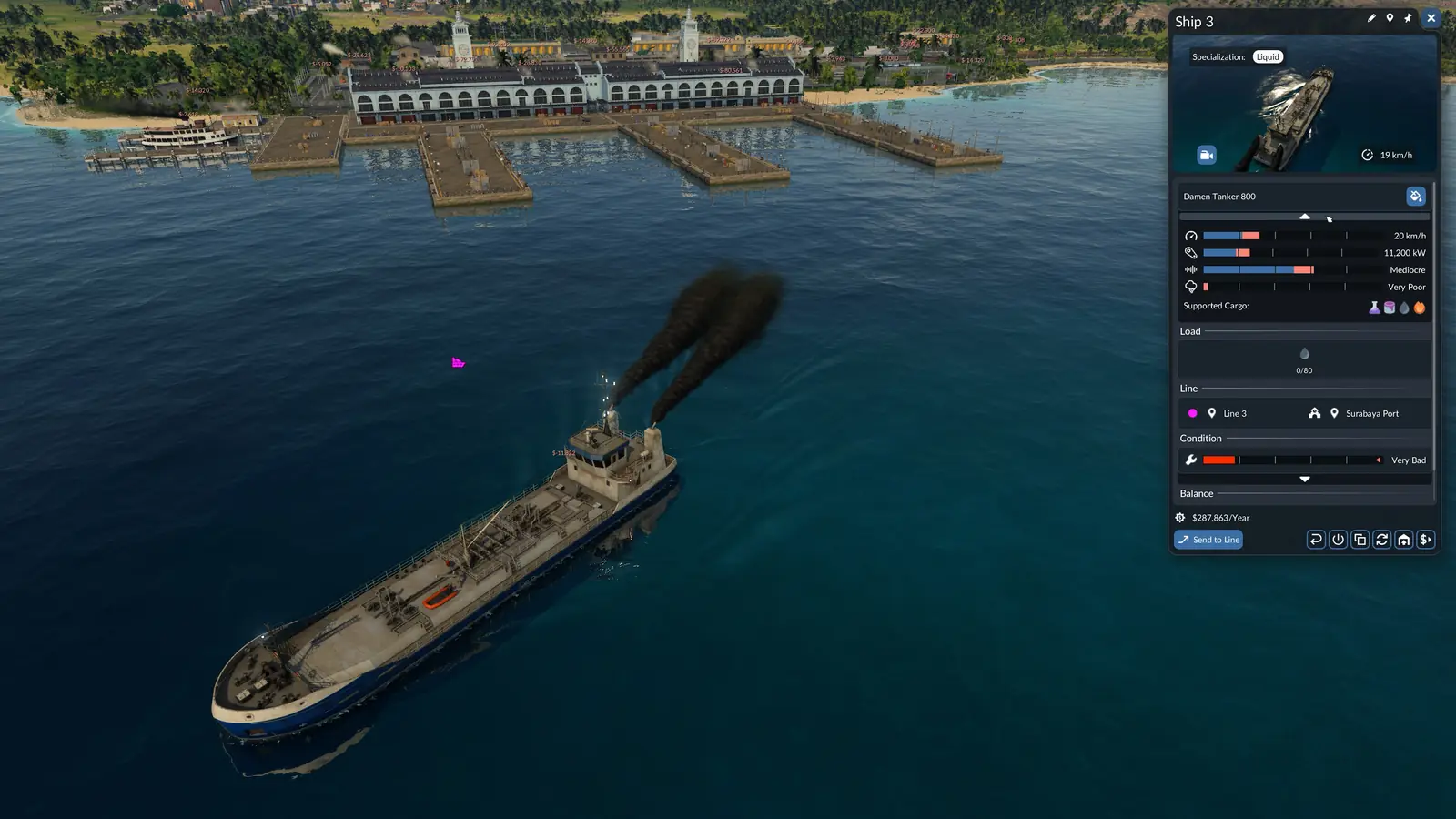
The Vehicle Maintenance Effect setting decides how much poor maintenance hurts older vehicles: more noise, pollution and running costs, less top speed, power and comfort. None switches the effect off. Every depot repairs vehicles that pass close to it. Maintenance buildings repair over a wider area, but sell nothing; there are maintenance buildings for road, rail and water, none for aircraft. Where depots and maintenance buildings go is in the stations and depots guide.
How loans work
A new game starts with an empty bank account, so the first step is a loan. You can hold up to four at once, and the monthly interest depends on the difficulty.
- The Loans tab always offers four loans. They are random but not entirely: there are usually small, cheap ones next to big, expensive ones.
- Those four offers are not the limit on what you hold: no more than four loans can run at the same time. New offers keep coming, though not right after you take one.
- Each offer shows the amount, the term (the months until the amount must be paid back), the interest rate and the yearly repayment, which is taken in instalments every 15 days.
- Loans you hold show what you still owe and how many months are left. Once you have the cash, the repay button clears a loan in one go.
- Because interest is charged every month, the manual advises paying loans back as soon as you can.
Bigger networks cost money before they earn it; a few months in the red at the start can still pay off later.
Reading the finances window
Click your bank balance in the bottom left corner, or select your company headquarters on the map, and the finances window opens. The manual's text says the window has five tabs, then describes six.
- Overview: Four charts, for revenue and expenses, balance, debt and cash, and towns.
- Finances: Every source of income and spending, grouped, for up to four years.
- Assets: What you have built and bought, from road and rail length, bridges and tunnels to stations and vehicles by type, plus the passengers and cargo you have carried over time.
- Tracks: A chart of your total track length.
- Loans: The loans on offer and the ones you hold.
- Delivery Time: How long each cargo type is expected to take.
The four charts on the Overview tab:
- Revenue and Expenses sets each year's revenue, loans not counted, against its expenses. A year whose blue column is taller than its red one made a profit.
- Balance follows your cash and your company value, which is the cash plus what your vehicles are worth.
- Debt and Cash shows your debt next to debt plus cash. While that blue column stays above zero, you could pay off every loan.
- Towns tracks the size of the town districts on the map; the residential line is the map's whole population.
Under the table, Earnings adds up every row, Loan Transactions counts repayments and new loans, Bank Account is your cash and Debt is what you still owe.
Find the lines that lose money
- The line statistics window lists every line with its vehicles, cargo, load, capacity, utilization, satisfaction, frequency, rate, yearly balance and any problems, and you can sort by each of them.
- A line's own window starts with its capacity, what is on board, its rate and its frequency, then shows noise and pollution, last year's passengers or cargo, its vehicles and a balance chart. A year in which the blue bar stands above the red one was a profitable year.
- A vehicle's window repeats the rate and frequency of its line and adds its load, how well it is maintained and its own balance chart.
Sort the line list by yearly balance and start with the worst. How to add vehicles, change a line or read its rate and frequency is in the line manager guide; if a cargo line runs empty because its industry makes nothing, see industry not producing or shipping.