What the warning means
The line manager shows it on the line, in one of these words:
A cargo type cannot be loaded anywhere, despite being configured on the line.
Cargo Type cannot be loaded
The line is set to load a cargo at one of its stops, but no stop on the line can load it: nothing in reach supplies it, or the stop is set up wrong. The game's own description of the warning: A cargo type is configured on the line but cannot be loaded anywhere.
Unloading happens on its own. A stop's settings only control which cargo is loaded there, and up to what share of the vehicle. So a cargo needs to be set at the stop where it waits, and only there. A stop where it is only dropped off needs nothing set: the vehicle unloads it by itself wherever something takes it.
The four causes, in the order to check them
1. The cargo is set at the wrong stop, or at none
Each stop in the line manager has a box for what the vehicles load there. The warning comes when the cargo is missing at the stop where it waits, or set at a stop that should only unload. The game may also add a cargo to a stop on its own.
Fix: Open the line, put the cargo's icon in the box of the stop where it waits, and leave the box empty at the stop where it is dropped off. Take out any cargo you did not mean to load.
2. Nothing in reach supplies it
A stop can only load what an industry or a warehouse inside its catchment area holds. A warehouse built in reach of a truck stop gets rid of the warning there.
Fix: Select the stop and check that the industry or warehouse holding the cargo is tinted blue. If not, move the stop or put a warehouse inside its circle.
3. The warehouse keeps it in another module
A warehouse can only hand on a cargo it actually stores. If bricks will not move through a warehouse next to a harbor, check that the module is not set to fish only, and add a second module if one cannot keep up.
Fix: Open the warehouse, look at its Stocks list, and give the cargo a module of its own.
4. A roadside stop in front of the warehouse
A truck at a small roadside stop may never load fish from a warehouse right in front of it, and load once it uses a truck cargo station instead. The manual says roadside stops do handle cargo, only more slowly.
Fix: If a roadside stop will not load from a warehouse, try a full truck cargo station there.
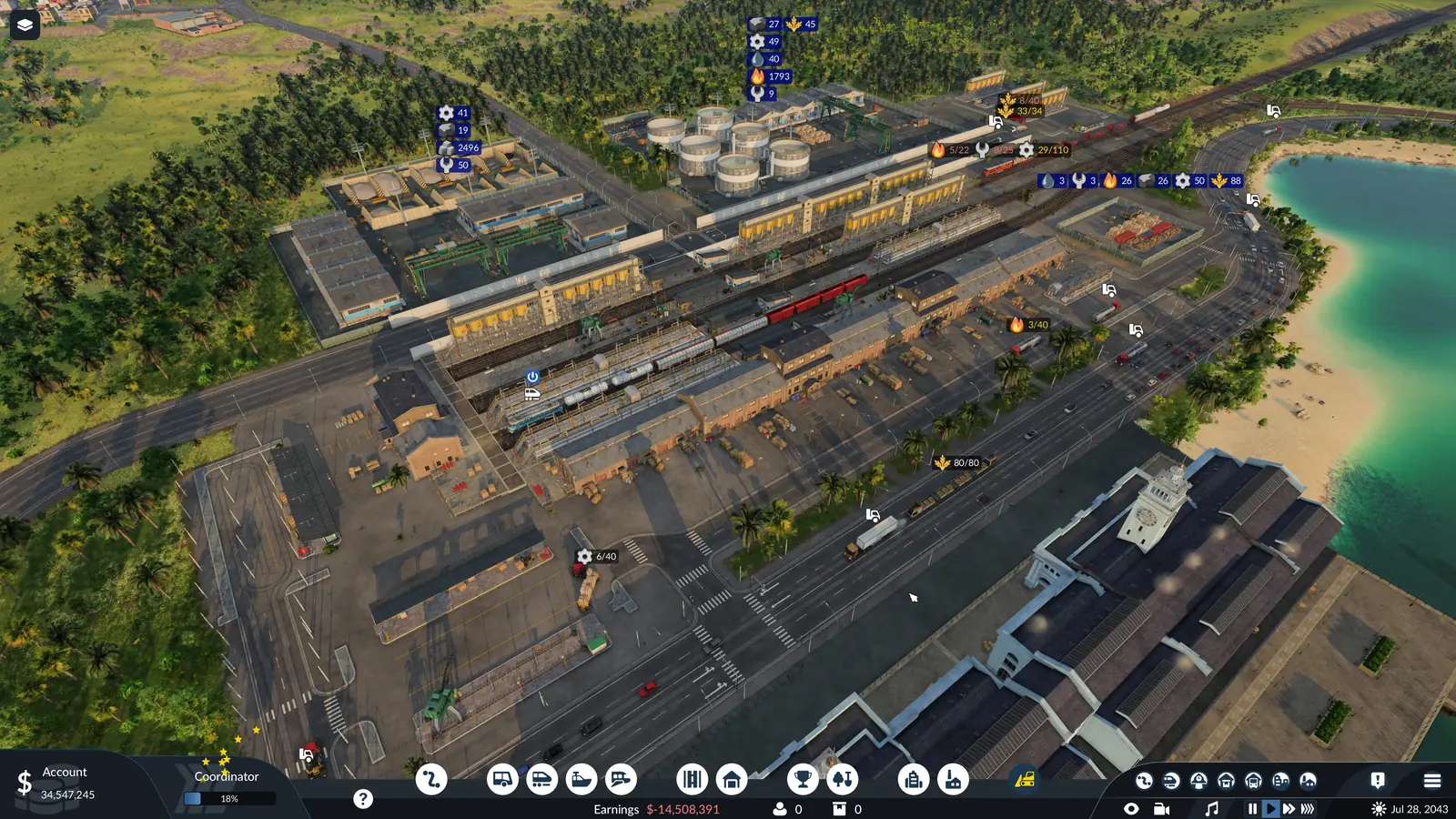
Select the station (or start placing one) and everything inside its catchment area is tinted: blue where cargo can move to or from the station, green for passengers, white for both. While you place a station, small cargo icons above town districts and industries show which cargo each of them takes or supplies. Small roadside stops handle cargo as well as passengers, but load cargo more slowly than a full cargo station.
Other loading warnings on a line
The game has three more line warnings about loading. Each one points to the vehicles or the stop settings:
- The line is not set to load any cargo at all.
- No vehicle on the line can carry some of the cargo it is set to load.
- Some vehicles on the line cannot carry any of that cargo, or a passenger line has cargo vehicles.
The capacity column of the vehicle list says what each vehicle carries: any cargo, or one group such as Bulk. If the stops look right but there is still nothing to load, the industry may not be making anything; the industry not producing guide covers that. How to set a stop's cargo and how many vehicles a line needs is in the line manager guide. If the cargo does load but the train departs before it is full, the stop's departure mode and its Max. Stop Time slider decide that, as the full load guide shows.
It loads, but will not unload?
That is the twin warning, “A cargo type cannot be unloaded anywhere”, and the cargo unloading guide has the fix.
Frequently asked questions
What does "A cargo type cannot be loaded anywhere" mean?
The line is set to load a cargo at one of its stops, but no stop on the line can load it: nothing in reach supplies it, or the stop is set up wrong. The full warning reads: "A cargo type cannot be loaded anywhere, despite being configured on the line."
Why is my cargo not loading in Transport Fever 3?
It has four causes: the cargo is set at the wrong stop, or at none; nothing in reach supplies it; the warehouse keeps it in another module; a roadside stop in front of the warehouse. Check the stop settings first: open the line, put the cargo's icon in the box of the stop where it waits, and leave the box empty at the stop where it is dropped off. Take out any cargo you did not mean to load.
Does an industry need a road to the station to load cargo?
No. For cargo, the industry, town building or warehouse only has to be inside the station's catchment radius. Unlike passengers, cargo needs no path to the station. Select the station (or start placing one) and everything inside its catchment area is tinted: blue where cargo can move to or from the station, green for passengers, white for both.
Can a station load cargo from a warehouse?
Yes. A warehouse stores cargo and passes it between different kinds of transport. It needs no road access: any station whose catchment radius covers it can load from it and unload into it. Each specialized module holds one cargo type at a time, so two cargo types from the same group need two modules: crude oil and fuel are both Liquid, yet need one module each. You pick the cargo by clicking its icon in the warehouse's Stocks list.
Do I have to set which cargo is unloaded?
No. Unloading happens on its own. A stop's settings only control which cargo is loaded there, and up to what share of the vehicle. So set the cargo only at the stop where it waits.
Why does my cargo load so slowly?
Small roadside stops handle cargo as well as passengers, but load cargo more slowly than a full cargo station. A specialized cargo terminal loads its own group of cargo faster, and every other cargo much more slowly. A platform shorter than the train or tram slows loading and unloading. The vehicle and station windows and the terminal selection dialog then show a warning.
Sources
The rules on this page come from these pages of the official Transport Fever 3 manual:
- Lines and Vehicles (when cargo unloads, stop settings, loading speed; revised September 29, 2026)
- Warehouses (universal and specialized warehouses; revised September 29, 2026)
- Stations and Depots (catchment area, terminal types, specialized terminals; revised September 29, 2026)
- Towns (town cargo needs and the delivery rating; revised September 28, 2026)
- Finances (the Delivery Time tab; revised September 29, 2026)
- Statistics and Data Layers (cargo layers and problem columns; revised September 29, 2026)
- Industries and Cargo (each cargo's specialization, makers and users; revised September 28, 2026)
The manual does not explain this warning word for word. The causes and fixes were checked on October 24, 2026, the manual pages on October 6, 2026. Seen something different in game? Let us know.