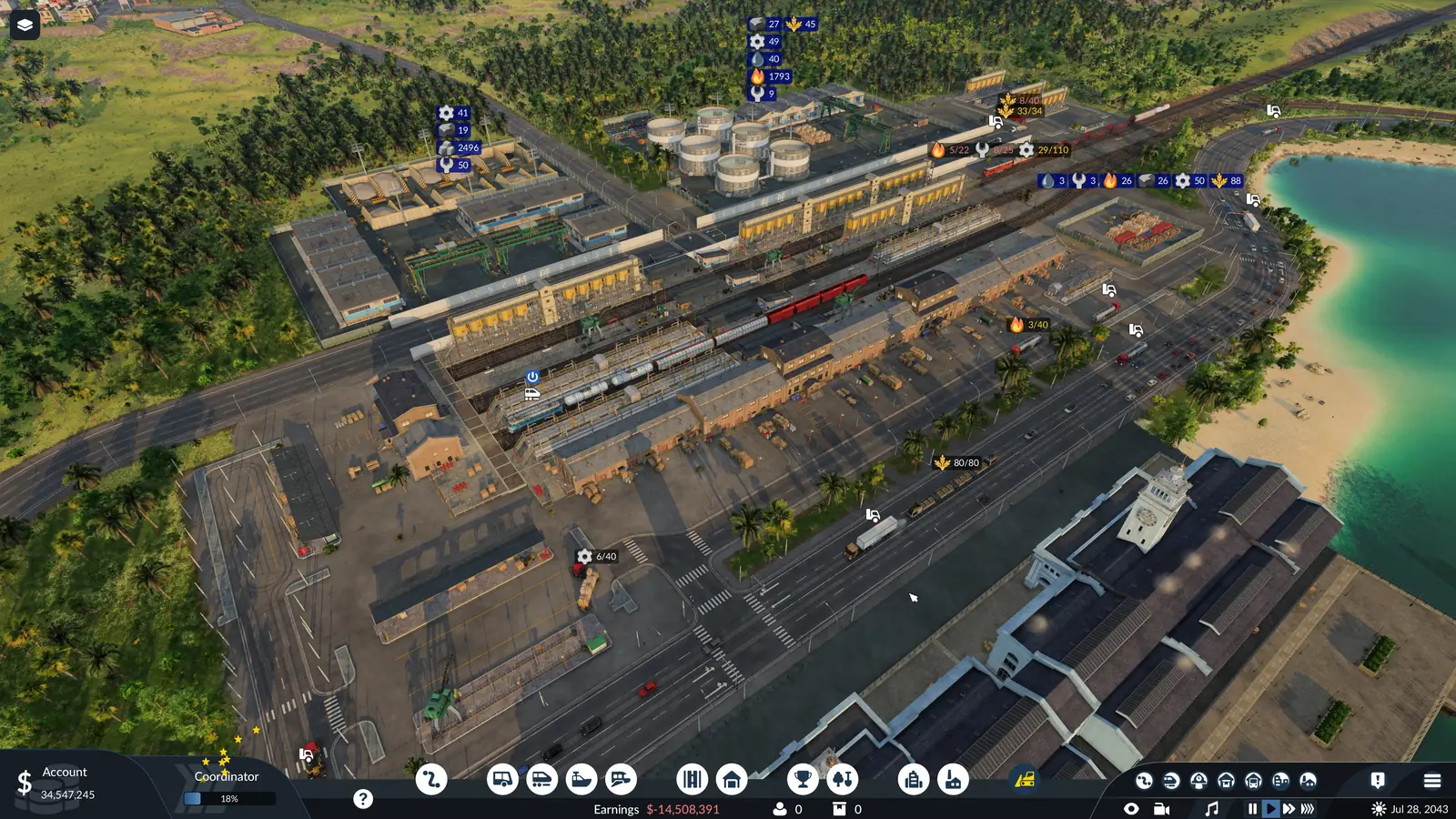
Cargo won't unload: check these in order
- Does anything at the stop take this cargo? Use the picker above. Unloading happens on its own. A stop's settings only control which cargo is loaded there, and up to what share of the vehicle. A station built inside an industry is always specialized to the cargo that industry needs.
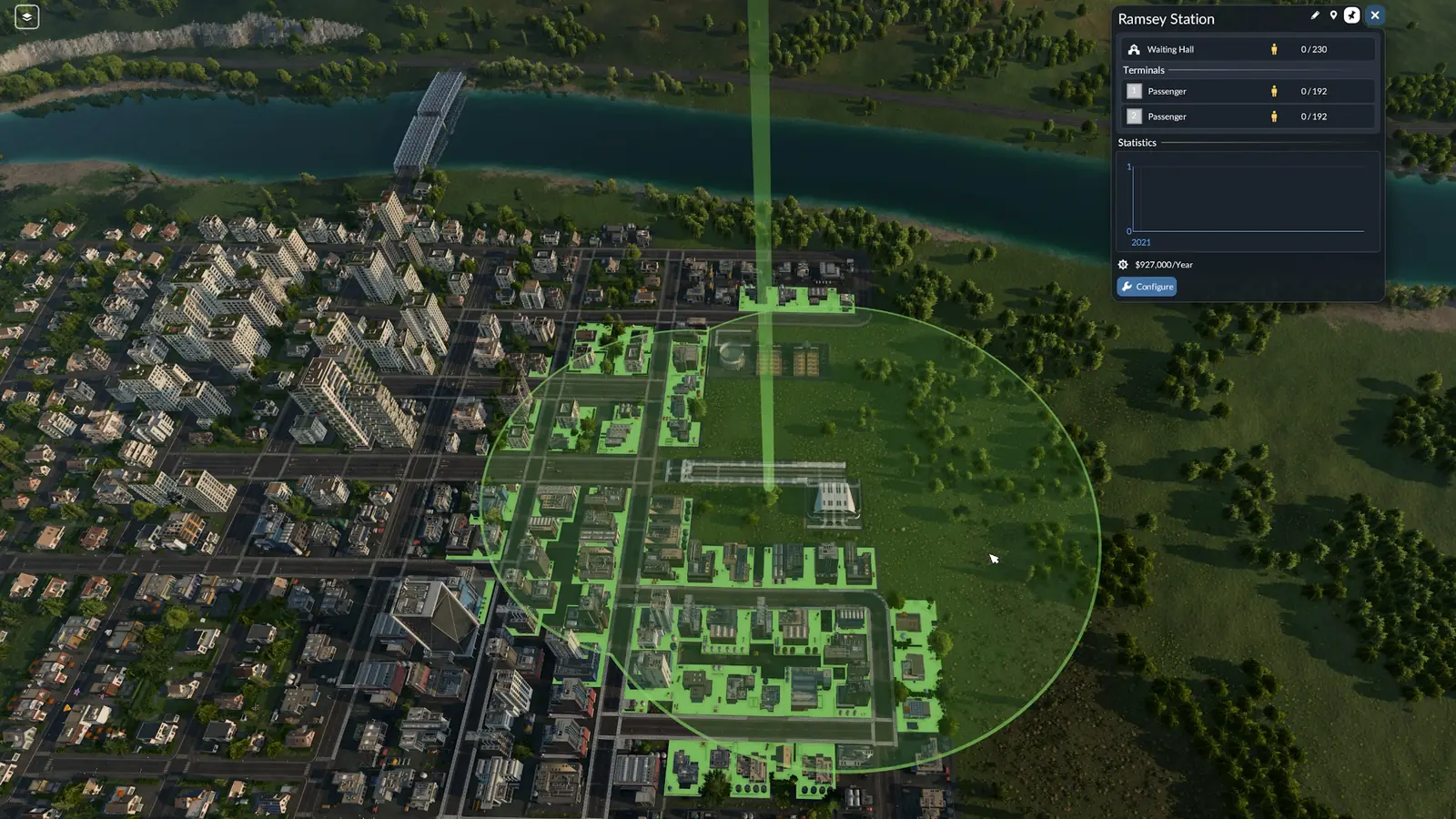
- Is the taker inside the catchment area? For cargo, the industry, town building or warehouse only has to be inside the station's catchment radius. Unlike passengers, cargo needs no path to the station. Select the station (or start placing one) and everything inside its catchment area is tinted: blue where cargo can move to or from the station, green for passengers, white for both.
- Does it want this exact cargo? While you place a station, small cargo icons above town districts and industries show which cargo each of them takes or supplies. Every building in a town's commercial and industrial districts wants cargo; its window shows which cargo and how well it is supplied.
- Is the warehouse set up for it? Each specialized module holds one cargo type at a time, so two cargo types from the same group need two modules: crude oil and fuel are both Liquid, yet need one module each. You pick the cargo by clicking its icon in the warehouse's Stocks list.
- Can the vehicle use that terminal? Depending on the station type, a terminal can be for passengers only or for cargo only. Harbors make no such split, but large ships can only use large landings.
- Does the vehicle reach the stop at all? When a vehicle cannot reach a stop or a terminal, the line gets a problem icon in the line manager, and the warnings at the top of the screen list it. Changing tracks or signals can cause this later.
- Is it unloading, just slowly? A platform shorter than the train or tram slows loading and unloading. The vehicle and station windows and the terminal selection dialog then show a warning. A specialized cargo terminal loads its own group of cargo faster, and every other cargo much more slowly.
- Read the game's own warnings. The industry and warehouse statistics each have a Problems column with the game's warnings, and the industry statistics list the cargo every industry needs under Requirements.
How warehouses work
A warehouse stores cargo and passes it between different kinds of transport. It needs no road access: any station whose catchment radius covers it can load from it and unload into it. Towns and factories cannot help themselves to what a warehouse holds. A vehicle has to carry the cargo on to them.
A universal warehouse stores any mix of cargo and is the cheaper choice. A specialized module (Liquid, Bulk, Flatbed or Goods) loads and unloads faster, and cargo kept in it stops aging: its delivery timer is frozen. Each specialized module holds one cargo type at a time, so two cargo types from the same group need two modules: crude oil and fuel are both Liquid, yet need one module each. You pick the cargo by clicking its icon in the warehouse's Stocks list.
The Stocks list shows, for each module, the cargo it can take, how much it holds and the average delivery time left, with a button to throw away everything in that module.
What sets the loading speed
Loading speed also depends on the specializations of the vehicle, the terminal and any warehouse involved: matching ones speed it up, mismatched ones slow it down. While a vehicle loads, the color of its loading indicator shows whether it is going at normal, faster or slower speed. A specialized cargo terminal loads its own group of cargo faster, and every other cargo much more slowly. Small roadside stops handle cargo as well as passengers, but load cargo more slowly than a full cargo station.
A platform shorter than the train or tram slows loading and unloading. The vehicle and station windows and the terminal selection dialog then show a warning. The departure options are Load if available, Full load (any) and Full load (all). In the base game only trains and ships tell any from all; every other vehicle waits until it is full with either.
Late cargo and town growth
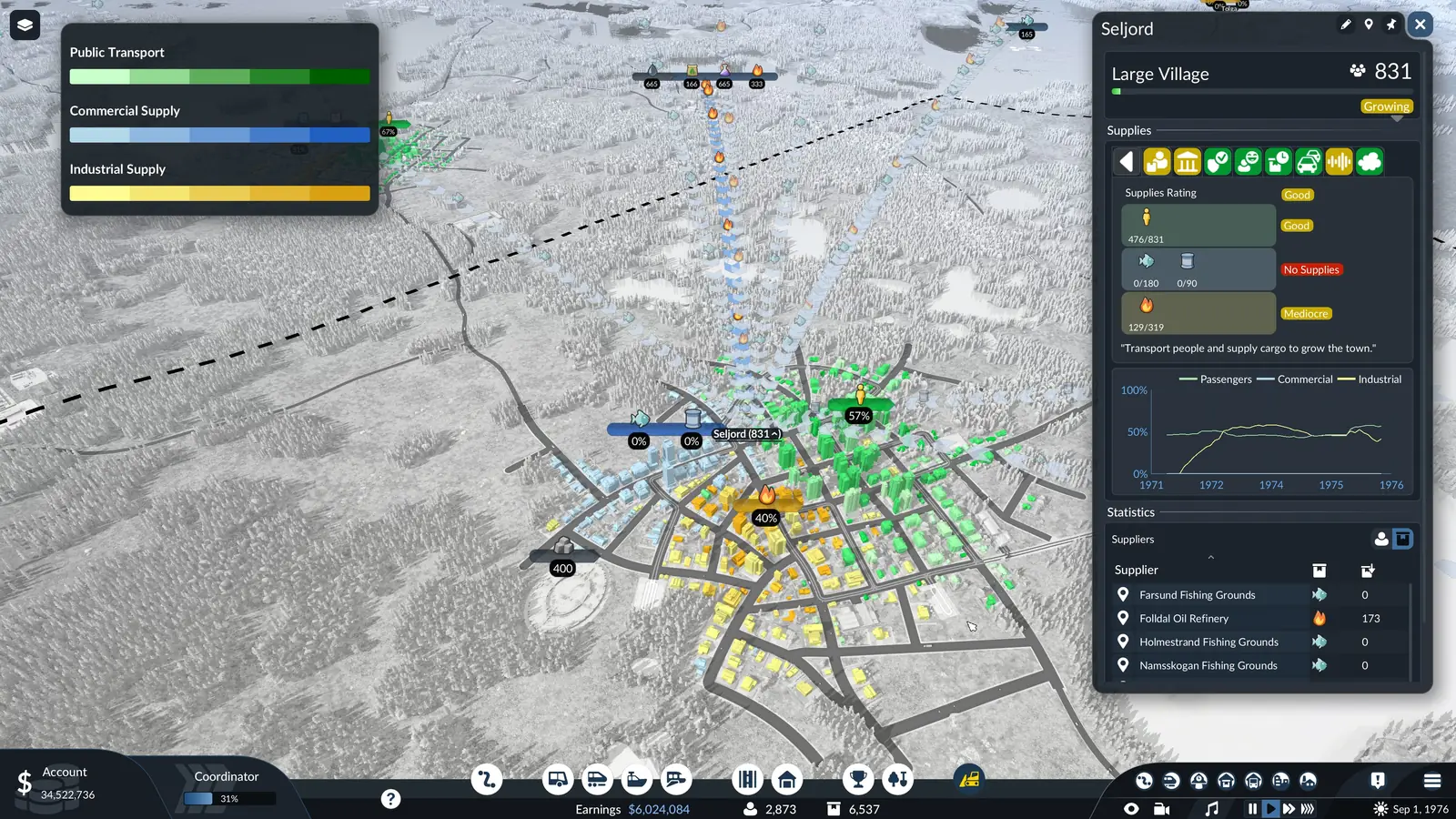
Every cargo type has its own expected delivery time, which the Delivery Time tab of the finances window shows. It is new in Transport Fever 3. Cargo that arrives late still pays in full, but it lowers the town's on-time delivery rating, which slows the town's growth.
The cargo satisfaction layer colors routes, vehicles and warehouses from green to red by delivery time and can be filtered to one cargo. The cargo flow layer shows where cargo travels and puts a small icon over every town building that wants cargo.
Frequently asked questions
Why won't my cargo unload in Transport Fever 3?
A vehicle unloads a cargo at each stop where something takes that cargo: an industry that uses it, a town district that asks for it, or a warehouse set up to store it. So check three things: the receiver is inside the station's catchment area (select the station and it is tinted blue), it takes that exact cargo, and the stop has a cargo terminal the vehicle can use.
What does "cargo type cannot be unloaded" mean?
The official manual does not explain that message, but it does explain when cargo is unloaded. A vehicle unloads a cargo at each stop where something takes that cargo: an industry that uses it, a town district that asks for it, or a warehouse set up to store it. So check that something at that stop takes that exact cargo, and that a warehouse there is set to store it.
Do factories and towns take cargo from a warehouse?
No. Towns and factories cannot help themselves to what a warehouse holds. A vehicle has to carry the cargo on to them. A warehouse stores cargo and passes it between different kinds of transport. It needs no road access: any station whose catchment radius covers it can load from it and unload into it.
Should I build a universal or a specialized warehouse?
A universal warehouse stores any mix of cargo and is the cheaper choice. A specialized module (Liquid, Bulk, Flatbed or Goods) loads and unloads faster, and cargo kept in it stops aging: its delivery timer is frozen. Each specialized module holds one cargo type at a time, so two cargo types from the same group need two modules: crude oil and fuel are both Liquid, yet need one module each. You pick the cargo by clicking its icon in the warehouse's Stocks list.
Which warehouse module does each cargo need?
Liquid: Chemicals, Crude Oil, Dyes, Fuel, and Rubber. Bulk: Cement, Clay, Coal, Fertilizer, Grain, Iron Ore, Sand, Sawdust, and Stone. Flatbed: Logs, Machines, Planks, Sheet Metal, Steel, and Vehicles. Goods: Beverages, Books, Bricks, Canned Food, Clothes, Fabric, Fish, Furniture, Glass, Meat, Paper, Plastic, Tires, Tools, Vegetables, and Wool. A universal warehouse takes all four groups.
Does late cargo still pay?
Yes. Cargo that arrives late still pays in full, but it lowers the town's on-time delivery rating, which slows the town's growth. Every cargo type has its own expected delivery time, which the Delivery Time tab of the finances window shows. It is new in Transport Fever 3.
Why does my cargo load so slowly?
A specialized cargo terminal loads its own group of cargo faster, and every other cargo much more slowly. A platform shorter than the train or tram slows loading and unloading. The vehicle and station windows and the terminal selection dialog then show a warning. Small roadside stops handle cargo as well as passengers, but load cargo more slowly than a full cargo station.
Does an industry or warehouse need a road to the station?
No. For cargo, the industry, town building or warehouse only has to be inside the station's catchment radius. Unlike passengers, cargo needs no path to the station. The manual says outright that warehouses need no road access.
Related tools and guides
To see which industries feed which, use the production chain planner or look up any cargo in Industries and Cargo Types. Other guides cover map sizes and experimental maps and vehicle unlock dates, and the guides page lists them all.
Sources
All game facts on this page come from these pages of the official Transport Fever 3 manual:
- Lines and Vehicles (when cargo unloads, stop settings, loading speed; revised September 29, 2026)
- Warehouses (universal and specialized warehouses; revised September 29, 2026)
- Stations and Depots (catchment area, terminal types, specialized terminals; revised September 29, 2026)
- Towns (town cargo needs and the delivery rating; revised September 28, 2026)
- Finances (the Delivery Time tab; revised September 29, 2026)
- Statistics and Data Layers (cargo layers and problem columns; revised September 29, 2026)
- Industries and Cargo (each cargo's specialization, makers and users; revised September 28, 2026)
Players often search for the message “cargo type cannot be unloaded”. The manual does not explain it word for word, so this page lists the rules the manual does give. Checked on October 6, 2026. Seen something different in game? Let us know.